- Open Netscape.

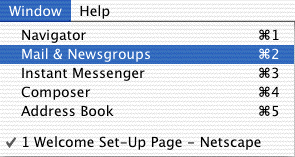
- From the Windows
menu, choose Mail & Newsgroups.

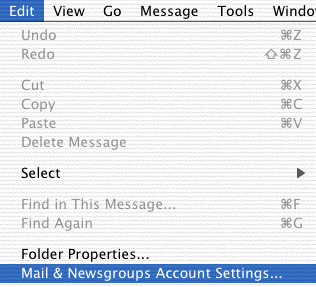
- From the Edit
menu, choose Mail & Newsgroups Account Settings.

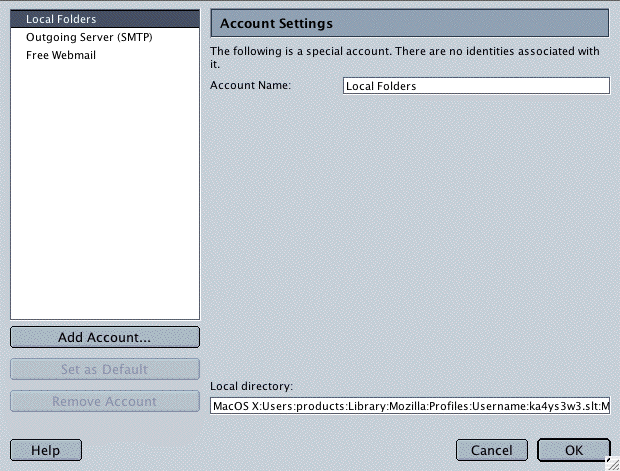
- Click the Add
Account button.

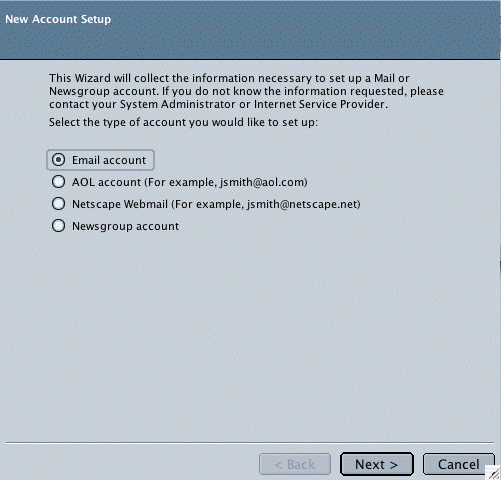
- Select Email
Account. Click
the Next button.

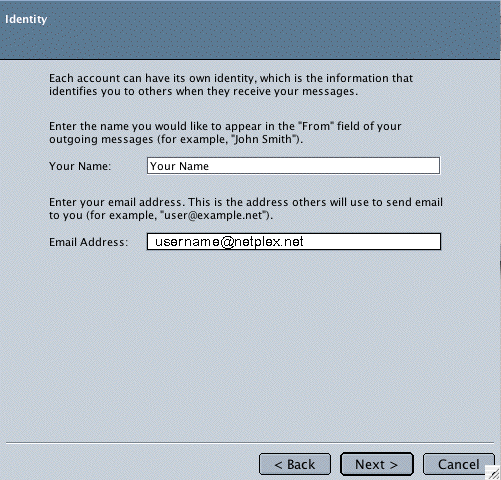
- In the Your
Name field, type your name.
- In the Email
Address field, type our full NETPLEX email address (e.g.,
username@ntplx.net).
- Click the Next
button.

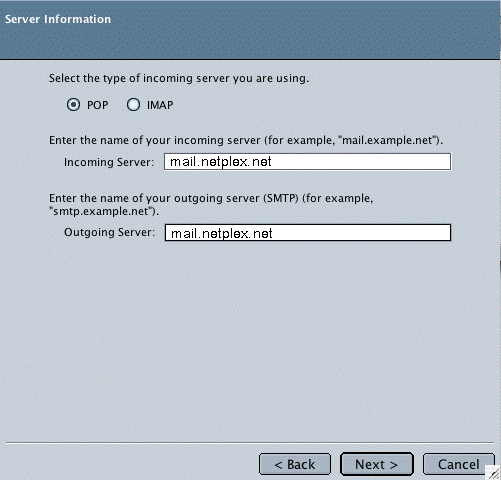
- Select POP.
- In the Incoming
Server field, type mail.ntplx.net
- In the Outgoing
Server field, type mail.ntplx.net
- Click the Next
button.

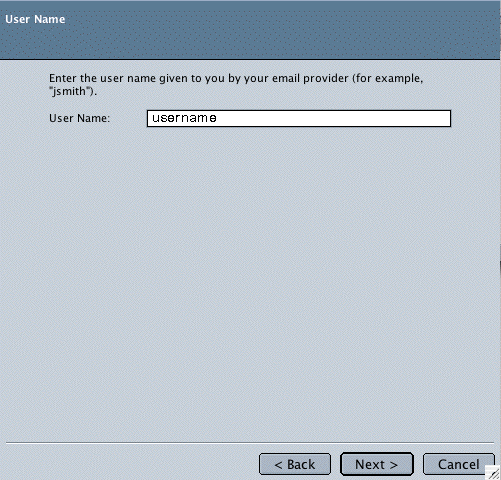
- In the User
Name field, type our full NETPLEX email address (e.g.,
username@ntplx.net).
- Click the Next
button.

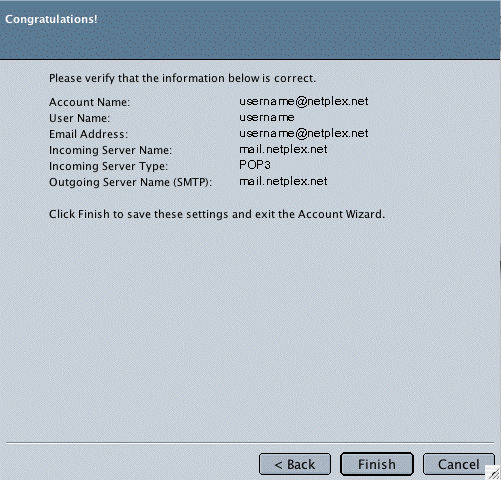
- Click the Finish
button.

- Select Outgoing
Server (SMTP) in the list.

- In the Server
Name field, type your Outgoing mail server (SMTP)
mail.ntplx.net
- Check the box
next to Use name and password.
- In the User
Name field, type your full NETPLEX email address (e.g.,
username@ntplx.net).
- Click the OK
button.

Note:
When you first send an email, a window asking for you password
will appear. Type your email password and click OK
to continue. |